RAG Workplace Knowledge: What Office Teams Need to Know
RAG helps AI answer from company documents, but office teams still need clean sources, access control, privacy checks and human review.
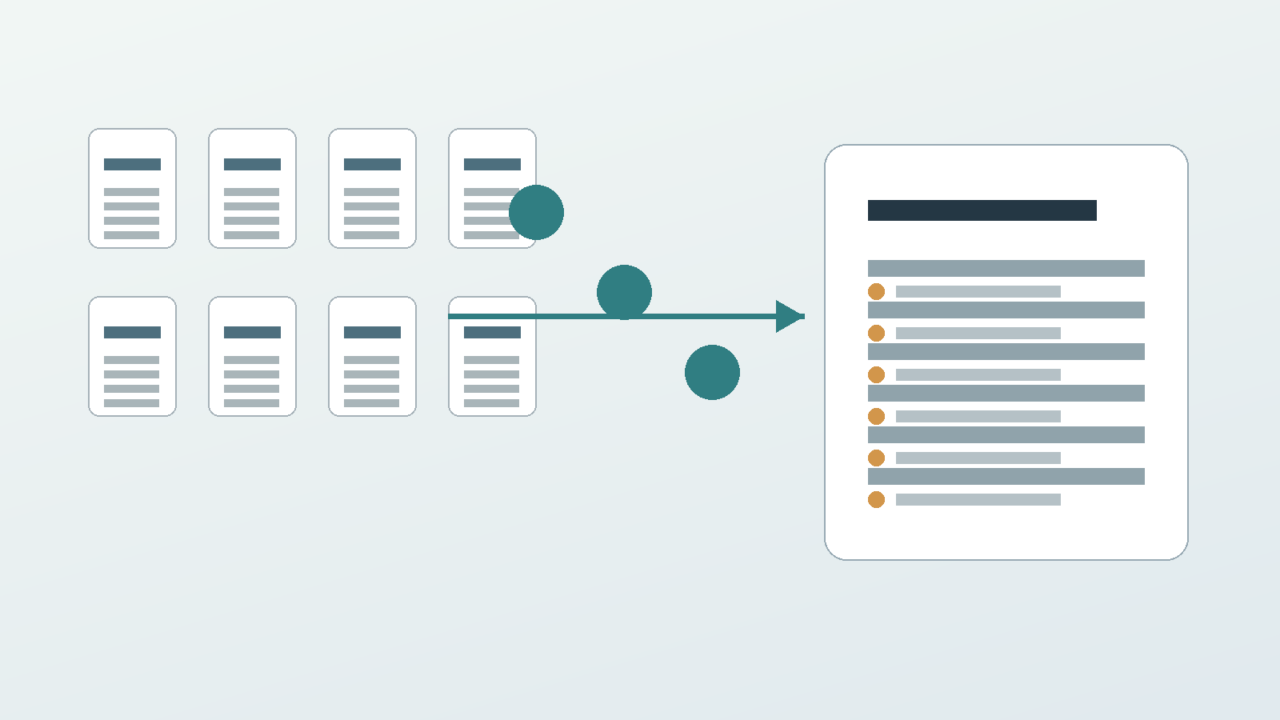
RAG workplace knowledge can make AI answers more useful by grounding them in company documents. It can also expose every weak file, loose permission and outdated policy in the business.
The Short Version
- RAG stands for retrieval augmented generation. In plain English, the AI searches approved material before drafting an answer.
- It can reduce guesswork, but it does not guarantee truth, privacy or good judgement.
- The most important checks are source quality, access control, freshness, audit trail and human review.
- RAG works best when the company knowledge base is clean enough for people to trust before AI is added.
What RAG Workplace Knowledge Means
In a normal chatbot exchange, the model answers from its training and the prompt. In a RAG setup, the system first retrieves relevant material from a selected knowledge source, then uses that material while drafting the answer.
That source might be a policy library, sales playbook, support knowledge base, project folder or internal wiki. The aim is to make the answer more specific to the business.
The plain-English question is: what approved information can the AI find before it writes?
This matters because generic AI does not automatically know your pricing rules, client commitments, escalation routes, HR policies or internal definitions. If the source is wrong, the answer may be wrong with confidence.
Why Company Documents Need Work First
RAG does not turn messy documents into a reliable knowledge system by itself. It retrieves from what you give it.
If old policies sit beside new policies, the system may surface the wrong one. If folders are badly named, answers may pull from the wrong team. If documents contradict each other, the AI may smooth over the conflict instead of warning the user.
The first RAG task is often not technical. It is housekeeping: remove stale files, label authoritative sources and make owners responsible for updates.
A useful rule is simple. If a new employee would struggle to find the right answer in the document system, an AI assistant may struggle too.
Teams should also decide what not to include. Draft contracts, old pricing sheets, personal notes and duplicate policy copies can all pollute the retrieval layer. A smaller trusted source set is usually better than a large messy one.
Version control matters as well. If a policy changes, the old version should either be archived clearly or removed from the answerable knowledge base. Otherwise the AI may cite an answer the business no longer wants staff to use.
Access Control Comes Before Convenience
The biggest workplace risk is not that RAG fails to retrieve enough. It is that it retrieves material a person should not have seen.
A sales assistant should not automatically gain access to HR files. A junior employee should not be able to infer confidential commercial terms because the AI can search every folder.
Permissions need to work at retrieval time, not only at upload time. The AI should answer from material the user is allowed to access.
The ICO guidance on AI and data protection is useful background because privacy, purpose and accountability still apply when AI is added to workplace knowledge.
This is especially important when the same search index serves several teams. HR, finance, sales and operations may all use the same AI interface, but they should not automatically share the same retrieval rights.
A good rollout tests permissions with real user types before launch. Ask what a manager can retrieve, what a new starter can retrieve and what an external contractor can retrieve. If the answers are unclear, the system is not ready.
Use AI As Drafter, Not Author
A RAG answer can still be incomplete, badly framed or too confident. Retrieval gives the model context. It does not give it final authority.
For low-risk internal questions, a drafted answer with source links may be enough. For customer commitments, HR decisions, legal wording or financial statements, a person should review the output before it is used.
Good systems show citations or source snippets so the user can check the answer. Bad systems produce a polished paragraph with no clue where it came from.
The test is whether the answer is easier to verify after AI is added. If the tool hides the source trail, it has made the work harder to govern.
Teams should also make uncertainty visible. If the system cannot find a source, it should say so. An answer that admits no relevant document was found is more useful than a confident paragraph based on a weak match.
A Simple Workplace Example
Imagine a support team wants AI to answer questions about refund policy. The weak version connects the AI to every support document, including old drafts and regional exceptions.
The stronger version connects it only to the current refund policy, customer-service scripts and approved exception rules. It shows the source beside the answer and asks a team lead to approve anything outside the standard case.
The AI still saves time. It can draft consistent answers and point staff to the right source. But it does not silently invent a refund promise or expose unrelated documents.
That is the real value of RAG at work: bounded help that remains checkable.
The same pattern works for internal IT help, procurement questions and onboarding. Start with a narrow topic, a named document owner and a clear escalation route when the AI cannot answer from approved material.
What To Check Before Rollout
Start with the knowledge source. Decide which documents are authoritative, who owns them and how often they are reviewed.
Then check permissions. Users should only retrieve from material they are allowed to see. Admin convenience is not a reason to flatten access rules.
Next check freshness. A stale policy can be worse than no policy because it gives the AI a confident but outdated answer.
NIST highlights retrieval augmented generation processes in its Generative AI Profile, which is a useful reminder that retrieval is part of the system design and risk review, not a magic accuracy switch.
Finally, define review. Decide which answers can go straight to an internal user, which need human approval, and which topics the AI should refuse or escalate.
What This Means For You
If your team is considering RAG, do not begin with the demo. Begin with one narrow workflow and a small set of documents that people already trust.
Ask five questions before launch: which documents are included, who can access them, how freshness is checked, where sources are shown, and who approves sensitive answers.
Treat early errors as design feedback. If the AI cites the wrong source, the knowledge base or retrieval rules need work. If users cannot tell where an answer came from, the interface needs work.
RAG can be genuinely useful for office teams. It can reduce repeated searches, make policies easier to find and help people draft from approved material.
But the control point stays human. The company remains responsible for the knowledge it provides, the permissions it grants and the answers it lets people use.
In Plain English
RAG helps AI answer from company documents instead of guessing from general knowledge. It works best when the sources, permissions and review process are clear.