Apple Pay, Google Wallet and contactless: what’s actually safe
Apple Pay and Google Wallet can be safer than plastic contactless cards, but only if your phone, bank app and recovery settings are secure.
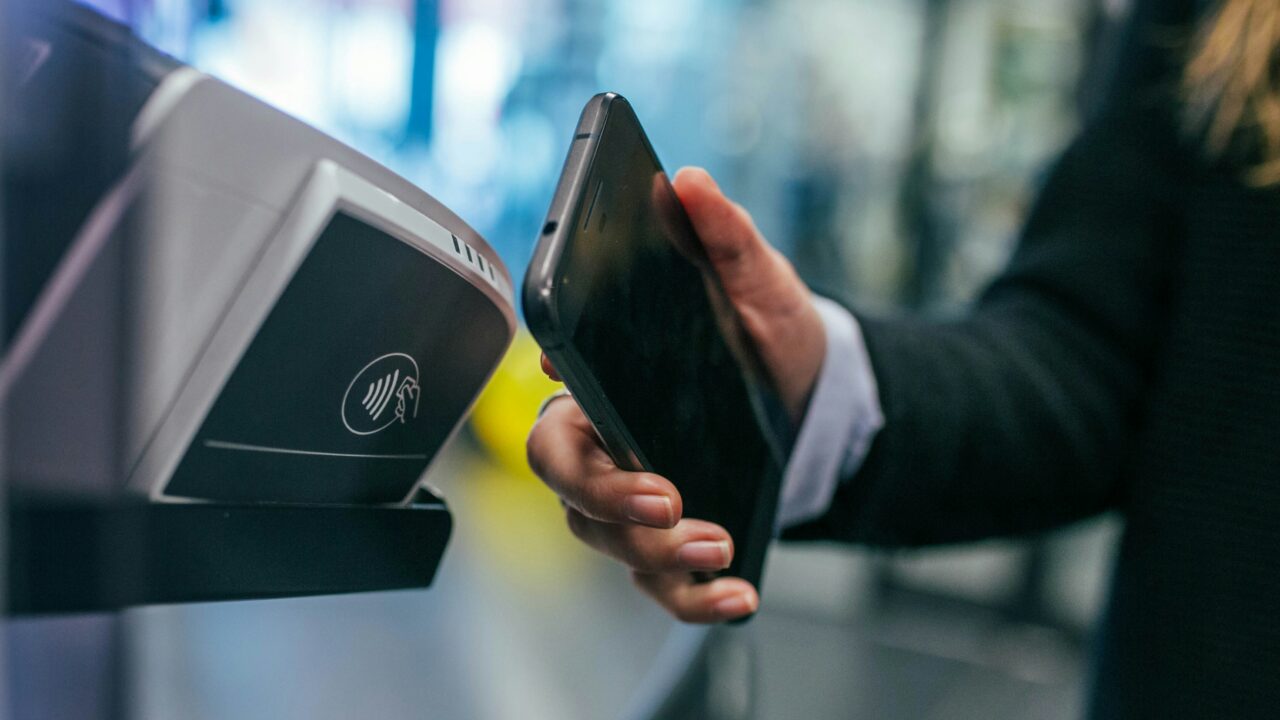
Contactless payments are easy to treat as one thing: tap, beep, done. In reality, a plastic card, Apple Pay and Google Wallet do not carry exactly the same risk. They use different checks, different limits and different fallbacks, which is why the safest choice depends on what you are trying to protect against.
The Short Version
Key Takeaways
- A contactless card is convenient, but small payments can usually be made without proving that you are the cardholder.
- Apple Pay and Google Wallet add a device check, such as Face ID, Touch ID, passcode, PIN, pattern or approved biometrics.
- The old fixed £100 UK card limit changed in March 2026, but many providers may keep familiar limits or offer customer controls.
- Mobile wallets hide your real card number from the shop terminal, but they do not remove every fraud or account security risk.
What A Contactless Card Really Does
A contactless debit or credit card uses near field communication, or NFC, to pass payment details to a terminal at very short range. The appeal is obvious: no PIN for routine purchases, less queue friction and fewer surfaces to touch. The trade-off is that the card itself is the main thing being checked.
That does not mean contactless cards are unsafe. Card issuers monitor transactions, terminals follow payment rules and background checks may trigger a PIN request after repeated use. UK Finance’s contactless guidance explains the single transaction limit and background limits that can require a PIN.
The everyday risk is simpler. If someone has the physical card, they may be able to make some contactless payments before the card is blocked. That is different from a wallet on a locked phone, where the thief also has to get through the phone’s payment check.
How Apple Pay And Google Wallet Differ
Apple Pay and Google Wallet still use card networks and bank approval, but the card number in your pocket is not simply broadcast to the shop terminal. Apple says Apple Pay uses a device-specific number and a transaction-specific dynamic security code. Google Wallet requires a supported device setup, NFC, a payment method and security checks before tap to pay works.
That matters because the phone or watch becomes part of the authorisation flow. With Apple Pay, you normally approve the payment with Face ID, Touch ID, Optic ID or passcode. With Google Wallet, Google’s verification guidance says payment methods require screen lock verification after the verification window times out.
In plain terms, a phone wallet is usually harder to abuse from a stolen device than a loose contactless card, assuming the phone has a strong lock and the wallet has not been set up on someone else’s device through account compromise.
The Limit Question In The UK
For years, the easy rule was that UK contactless card payments had a £100 single transaction limit. That became less neat from 19 March 2026. The Financial Conduct Authority gave banks and payment providers with strong fraud controls more flexibility to set contactless limits.
This does not mean every card suddenly became unlimited. UK Finance says many customers may not see immediate changes, and any changes should be communicated by their provider. Terminals, card scheme rules and each bank’s own appetite for risk all affect what happens in practice.
Phone wallets are different because the payment usually includes device authentication. That is why Apple Pay or Google Wallet can sometimes work above the familiar plastic-card tap limit, although a retailer or bank can still create friction.
What Fraud Protections Actually Cover
If a card or wallet transaction appears that you did not authorise, the first step is still to contact your bank or card issuer quickly. The FCA’s consumer guidance on fraudulent payments explains that banks generally must refund unauthorised payments, with limited exceptions, and that a customer may have to pay up to £35 if a lost or stolen card was not reported.
That protection is useful, but it is not a reason to be casual. A refund dispute can take time. You may need to replace cards, update subscriptions, check statements and prove what happened. The safer approach is to reduce the chance of misuse before you need the refund process.
Use your banking app’s controls if they exist. Some providers let you freeze a card, lower contactless limits, turn contactless off, block gambling or overseas spending, or approve larger payments in-app. Those settings are practical protection.
Where The Real Risks Sit
The classic fear is someone charging your card by brushing past you. That is not the main everyday risk for most people. A more realistic problem is losing a card and not noticing, using a weak phone passcode, letting notifications reveal too much on the lock screen, or falling for a message that tricks you into approving a wallet setup or bank login.
Mobile wallets also depend on account security. If your Apple Account, Google Account or banking credentials are weak, the risk moves from the shop terminal to the account behind the wallet. That is why our guide to securing your email account matters.
There is also a privacy distinction. Apple Pay and Google Wallet can reduce how much of your real card number is exposed at the terminal, but the merchant, bank, card network and wallet provider may still process transaction information needed to complete the payment, prevent fraud and provide receipts.
Settings Worth Checking Today
Start with the physical card. Check whether your banking app lets you freeze the card instantly, set spending controls or change contactless settings. Make sure app notifications are switched on for card spending so you spot an unexpected tap quickly.
Then check the phone. Use a proper passcode, not an easy pattern or short code that someone could guess. Review cards in Apple Wallet or Google Wallet, remove old cards, and make sure lost-device tools are enabled. Our guide to smartphone settings worth changing on day one covers the wider setup.
Finally, think about the account recovery chain. Update recovery email addresses, remove old devices from your Apple or Google account, and use passkeys or two-factor authentication where available. If that sounds unfamiliar, start with our guide to passkeys.
A Worked Example
Imagine you lose a physical debit card on the bus. Someone finds it before you notice. They may be able to make a few low-friction contactless purchases until the bank’s checks or your freeze request stop them. Your job is to spot the loss quickly, freeze the card and report any unauthorised payments.
Now imagine you lose a locked phone with Apple Pay or Google Wallet. The person who finds it has the device, but not necessarily the face, fingerprint, passcode, PIN or pattern needed to approve payments. If your lock is strong and lost-device controls are enabled, the wallet is much less useful to them.
The result is not that phone wallets are perfect. It is that the main protection has moved from a spending limit to device security. If the device lock and account security are strong, the wallet is usually the safer tap. If they are weak, you have just moved the weak point somewhere else.
What This Means For You
For everyday UK spending, Apple Pay and Google Wallet are generally a sensible default when your phone is well secured. They add a layer of authentication, reduce exposure of the physical card number at the terminal and make it easy to carry fewer cards.
Keep a physical card as a backup, especially for travel, battery failures, older terminals and places where phone payments are unreliable. But do not treat the card as harmless. Freeze it quickly if it goes missing, and check whether your provider lets you set a lower contactless limit.
The best setup is boring: a strong phone lock, spending alerts, wallet cards you actually use, clean account recovery details and a bank app you know how to use under pressure. For scam awareness around payment prompts and public stickers, our guide to QR code scams is a useful companion.
In Plain English
A plastic contactless card is safe enough for most everyday payments, but it can be used by whoever holds it until checks kick in. Apple Pay and Google Wallet usually add a phone or watch unlock, so they are often safer if your device and accounts are properly protected.