Passkeys: what they are and whether you should use them
Passkeys can make signing in safer and simpler, but they still depend on your device, account recovery and the services you use every day.
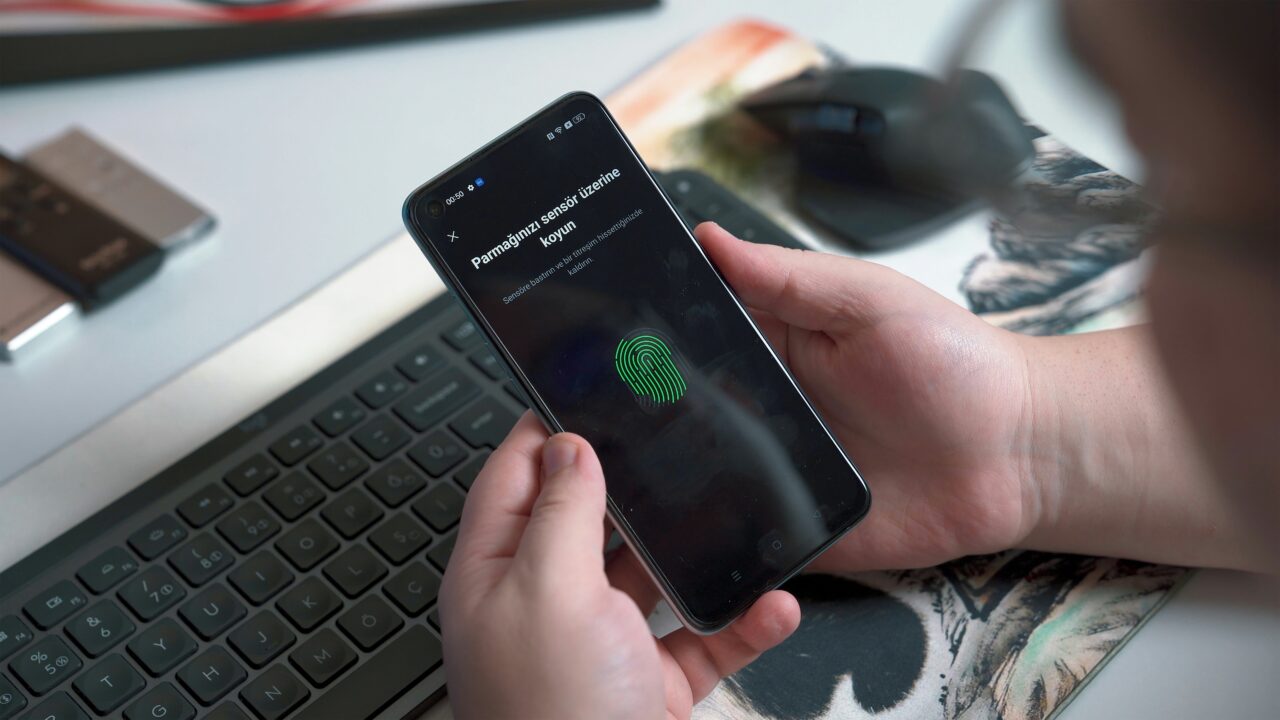
Passwords are one of the weakest parts of online security because they can be guessed, reused, leaked or tricked out of you. Passkeys are designed to fix some of that, but the prompts to create one can still feel oddly mysterious. The useful question is not whether passkeys sound clever, but whether they make your own accounts safer and easier to use. Passkeys explained this way make it clear why security experts prefer them to traditional passwords.
The Short Version
- Passkeys are a newer way to sign in to websites and apps without typing a password.
- They usually use the same thing you already use to unlock your device, such as a PIN, fingerprint or face recognition, but the passkey itself is not the fingerprint or face scan.
- They are much more resistant to phishing than passwords because there is no password for you to type into a fake website.
- They are worth using on important accounts where they are available, as long as you understand recovery, shared-device risk and where the passkey is stored.
What a passkey actually is
A passkey is a digital sign-in key created for one specific website or app. Instead of asking you to remember a password, the service asks your device or credential manager to prove that the right key is present. You then approve that sign-in using your normal device unlock method, such as a phone PIN, fingerprint, face recognition or computer login. Passkeys explained this way make it clear why security experts prefer them to traditional passwords.
That last part is where people often get confused. Your fingerprint is not being sent to the website. Face ID is not becoming your password. The biometric check, if you use one, normally stays on your device. It is a local way of unlocking permission to use the passkey. The passkey is the account credential.
The FIDO Alliance, the industry body behind the standard, describes passkeys as FIDO credentials for passwordless authentication. In plain English, that means they replace the shared secret of a password with a pair of cryptographic keys. One part is held by the service, and the private part is protected by your device, password manager or security key. Passkeys explained this way make it clear why security experts prefer them to traditional passwords.
How signing in with a passkey works
Passkeys can make signing in less annoying. On a phone, you may tap the account field, approve with your screen lock, and you are in. On a laptop, you may approve with Windows Hello, Touch ID, a PIN, a nearby phone or a security key, depending on the device and service. Apple, Google and Microsoft all support passkeys in different ways across their account systems and devices, but the exact flow varies.
In practice, the passkey may be stored by your device’s built-in password system, a password manager, or a separate security key, depending on how you set it up. Passkeys explained this way make it clear why security experts prefer them to traditional passwords.
That variation is one reason passkeys still feel messy. Some websites support them. Some do not. Some accounts let you use a passkey instead of a password. Others use it as an extra sign-in method. Some work smoothly across your devices. Others depend on whether you use iCloud Keychain, Google Password Manager, Microsoft Password Manager, a third-party password manager or a physical security key.
Why passkeys are safer than passwords
Passwords are reusable by nature. If you type the same password into a fake login page, an attacker may be able to use it on the real site. If a company loses a password database, weak or reused passwords can cause trouble elsewhere. A passkey is different. It is created for a particular service, and it is not something you type, remember or paste into a box. Passkeys explained this way make it clear why security experts prefer them to traditional passwords.
This is why passkeys are much harder to phish than passwords. A fake website can trick you into typing a password. It is much harder for it to trick your device into using a passkey for the wrong website, because the passkey is tied to the real service it was created for. If you want the wider warning signs, read Cristoniq’s guide to spotting a phishing email.
The NCSC recommends using passkeys over passwords wherever they are available, while still advising strong passwords and two-step verification where passkeys are not offered. That matters because passkeys will not appear everywhere at once, and older account security still matters. Cristoniq’s guide to two-factor authentication explains the fallback protection you still need on accounts without passkeys. Passkeys explained this way make it clear why security experts prefer them to traditional passwords.
What can still go wrong
You should not delete your whole mental model of account security overnight. Passkeys are better than passwords in important ways, but they still depend on the wider setup around them. If your recovery email is out of date, your phone number is wrong, or you create a passkey on a shared device, you can create a different kind of problem.
The shared-device point is especially important. Google warns users not to create passkeys on devices they do not personally own and use. That is sensible. If someone else can unlock the device, they may be able to use the passkey. A passkey is safer than a password against many online attacks, but it is still connected to access to the device or credential manager that stores it. Passkeys explained this way make it clear why security experts prefer them to traditional passwords.
Lost devices matter too. Apple, Google and Microsoft all provide ways to manage, remove or recreate passkeys, but the details differ. Before switching an important account to passkey-first sign-in, make sure you know how to get back in if your phone is lost, broken or replaced. If something has already gone wrong, Cristoniq’s guide to what to do if you get hacked explains the account recovery mindset.
For most people, the sensible approach is gradual. Start with accounts where passkeys are offered by major providers and where your recovery details are already clean. Your main email account is a good candidate because it often acts as the recovery route for other services. Banking, government, work and school accounts may have stricter rules, so follow the service’s own instructions rather than forcing a setup you do not understand. Passkeys explained this way make it clear why security experts prefer them to traditional passwords.
Passkeys also do not make password managers obsolete. You will still have accounts that only use passwords. You may also use a credential manager to store both passwords and passkeys. The NCSC uses the term credential manager because these tools increasingly manage more than passwords. A good password manager remains useful for accounts that do not yet support passkeys, and for keeping strong unique passwords where you still need them.
If passkeys are available on an account you care about, they are usually worth considering. The main checks are simple: is this your own device, is the device protected by a strong screen lock, are recovery options up to date, and do you understand where the passkey is being saved? If those answers are clear, a passkey is often a stronger, calmer way to sign in. Passkeys explained this way make it clear why security experts prefer them to traditional passwords.
A worked example
Imagine you want to set up a passkey for your main email account. Before tapping the prompt, you check three things.
First, the device is yours, not a family tablet, work loan laptop or shared computer. Second, the phone or laptop has a proper screen lock that only you can use. Third, your recovery email and phone number are current, so you have a way back in if the device is lost. Passkeys explained this way make it clear why security experts prefer them to traditional passwords.
You then create the passkey from the account’s security settings. The service asks your device to save it, and your device asks you to approve with the same unlock method you already use. The next time you sign in, you may be asked to approve the login on that device rather than type a password.
That is the point of a passkey. It should make a normal sign-in safer without turning account security into a hobby. But the boring checks around recovery and device ownership still matter.
What This Means For You
If you are offered a passkey on an account you use every day, you do not need to avoid it just because the wording feels unfamiliar. Passkeys are not a gimmick. They are a real improvement over passwords in many ordinary situations, especially where phishing is the main risk.
The best first accounts are the ones that matter and that you understand: email, Apple, Google, Microsoft or another service where the setup is clearly explained and your recovery details are correct. Do not start with a shared device. Do not start with an account where you are already unsure how recovery works.
Where passkeys are not available, keep using strong unique passwords and two-step verification. The move to passkeys will be uneven for a while. Good security in 2026 is likely to mean using passkeys where they are ready, and strong passwords where they are still needed.
In Plain English
A passkey is a safer way to sign in without typing a password.
You approve it with your device, but your fingerprint or face is not sent to the website. Your device is proving that it holds the right key.
Use passkeys on your own devices, keep recovery details up to date, and do not abandon strong passwords on accounts that still need them.