Smart home hubs explained: Matter, Thread and the end of app overload
Smart home hubs, Matter and Thread explained in plain English, so you can cut app overload and buy connected devices with fewer surprises.
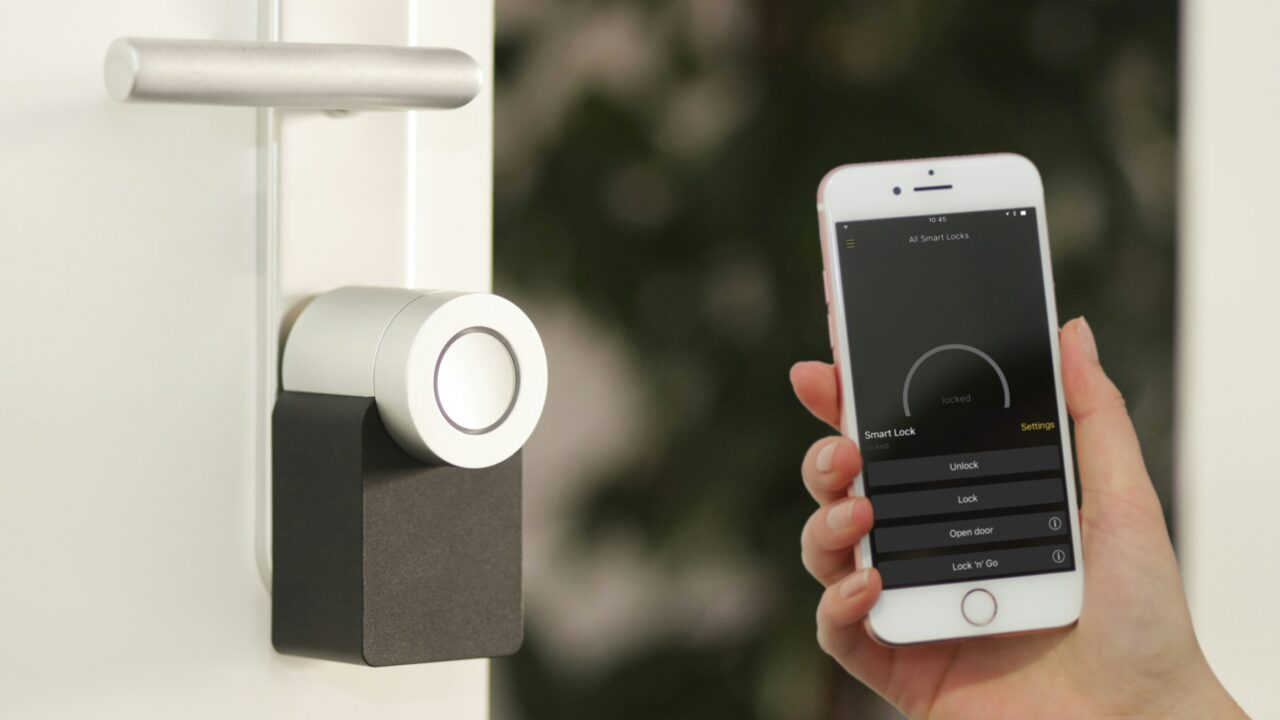
Smart homes were supposed to make life simpler. Instead, plenty of people ended up with one app for the lights, another for the heating, another for the doorbell and a drawer full of devices that only half work together. Matter, Thread and modern smart home hubs are attempts to tidy that mess into something ordinary households can actually live with.
The Short Version
Key Takeaways
- A smart home hub is the organiser that lets devices talk to your phone, voice assistant and each other.
- Matter is a shared smart home standard designed to make certified devices work across major ecosystems.
- Thread is a low power mesh network that can make small devices such as sensors, locks and bulbs more responsive.
- You still need to check the label, device type and hub support before buying. Matter does not magically fix every old gadget.
Why Smart Homes Became So Messy
The awkward thing about smart home technology is that the word “smart” has often meant “another app”. A bulb might need one account, a camera another, a thermostat another and a door lock yet another. Households ended up managing mini platforms rather than one joined up home.
That is why smart home hubs matter. A smart home hub is not always a separate box with a blinking light. It might be a smart speaker, a display, a TV, a router or a small bridge plugged into your network. Its job is to help devices connect, respond and stay manageable. If you read our guide to which smart home devices are actually useful, this is the layer that decides whether those devices feel helpful or fiddly.
What A Smart Home Hub Actually Does
Think of a smart home hub as a translator, traffic controller and remote control point. It helps your phone, voice assistant and connected devices understand each other. If you tap “turn off the living room lights”, the command may go from your phone to the hub, then from the hub to the bulb. If you set an automation, such as “turn on the hallway light when the motion sensor sees movement”, the hub helps those devices act together.
Some hubs also keep your home working locally. That matters because cloud based controls can be slower and less reliable. If every command has to leave your house, visit a company server and come back again, your light switch can feel oddly remote.
The catch is compatibility. A smart home hub can only organise devices it understands. Older gear may use Zigbee, Z-Wave, Bluetooth, Wi-Fi or a brand specific bridge. Newer products may support Matter, Thread, or both.
What Matter Changes
Matter is a smart home standard from the Connectivity Standards Alliance. In simple terms, it is meant to let certified devices work with major smart home systems through one shared approach. Google describes Matter as an open standard that lets a device work with any Matter certified ecosystem using a single protocol. The CSA describes it as an IP based protocol aimed at compatibility, reliability, security and easier setup.
For a normal buyer, the promise is straightforward: if a product is genuinely Matter certified and your chosen system supports that device type, you should have a better chance of using it with Apple Home, Google Home, Amazon Alexa, Samsung SmartThings or another Matter capable ecosystem. The smart home hubs that act as Matter controllers handle these conversations automatically, so you do not need to configure compatibility manually.
That does not mean every smart home problem is solved. Matter support depends on the device type, standard version, manufacturer implementation and your controller. A Matter bulb is not the same buying decision as a Matter camera, lock or thermostat.
What Thread Adds
Thread is different from Matter. Matter is the language for smart home devices. Thread is one of the networks those devices can use to communicate. The Thread Group describes Thread as an open IPv6 based protocol for low power connected products in homes and buildings.
The clever part is the mesh. In a Thread network, mains powered devices can help pass messages around the home, so the network can become stronger as more suitable devices join it. Thread focuses on range, resilience and responsiveness.
Thread devices need a smart home hub or Thread border router to connect the Thread network to the rest of your home network. That sounds technical, but it may already be built into a device you own, such as a smart speaker, smart display, streaming box, TV, appliance or modern router. This is where the word hub gets slippery. The thing doing the hub work might not look like a hub at all.
Where App Overload Starts To Improve
The best version of this setup is not that every brand disappears. You may still use a manufacturer’s app for advanced settings, firmware updates or product specific features. The improvement is that everyday control should be less scattered. A good smart home hub does the coordination quietly in the background, so you are not the one manually bridging incompatible systems.
That matters because the smart home only becomes useful when it fades into the background. A motion sensor turning on a hallway light is helpful. Opening three apps to work out why it failed is not. Matter and Thread are trying to make the basic plumbing less visible, so households can focus on what they want the home to do.
What Can Still Go Wrong
First, old devices do not automatically become Matter devices. Some products may get updates, but many will not. A brand bridge may still be needed for older bulbs, sensors or locks.
Second, Matter does not mean every feature appears in every app. Basic controls may work across platforms while advanced features remain in the manufacturer’s own app. A light might switch on and dim everywhere, while fancy scenes or energy reports live somewhere else.
Third, privacy and security still depend on the product, the account and your habits. A hub can make control easier, but it is still worth securing your main accounts properly. Start with our guide to securing your email account, because that is often the recovery point for connected services.
A Worked Example
Imagine you want a smarter hallway. You buy a motion sensor, a smart bulb and a smart speaker. If the sensor and bulb are Matter over Thread devices, and the speaker can act as a Matter controller and Thread border router, the setup should be relatively clean. You add the devices, place the sensor near the door and create a routine that turns the bulb on when motion is detected after sunset.
Without a suitable hub or border router, the same purchase can become frustrating. The sensor may not join the network, the bulb may only work in its own app, or the automation may run slowly because commands are bouncing through the cloud. The difference is not whether the devices are “smart”. It is whether the network, controller and standard line up.
What This Means For You
If you already have a few smart home devices, do not rip everything out. Check what you own first. Your smart home hub, smart speaker, TV box or router may already support Matter, Thread, or both. Then look at the devices that annoy you most. Lights, plugs and sensors are often the easiest places to simplify.
If you are buying new devices, avoid choosing only by brand or discount. Check the standard, network type and controller requirement. If the product says Matter over Thread, make sure you have a Thread border router. If it says Matter over Wi-Fi, make sure your Wi-Fi coverage is good where the device will live.
The goal is fewer apps, fewer unexplained failures and more devices that keep working after the novelty wears off.
In Plain English
A smart home hub is the organiser. Matter is the shared language. Thread is a quiet, low power network that helps small devices talk reliably around the home.
When those pieces fit, your smart home feels less like a bag of separate gadgets and more like one system.
Check the label before you buy. The standard only helps when your device and your hub both support it.