RCS Messaging: Why Green Bubbles Are Changing
RCS messaging improves media, receipts and group chats, but green bubbles still do not guarantee privacy. Here is what changed and what to check.
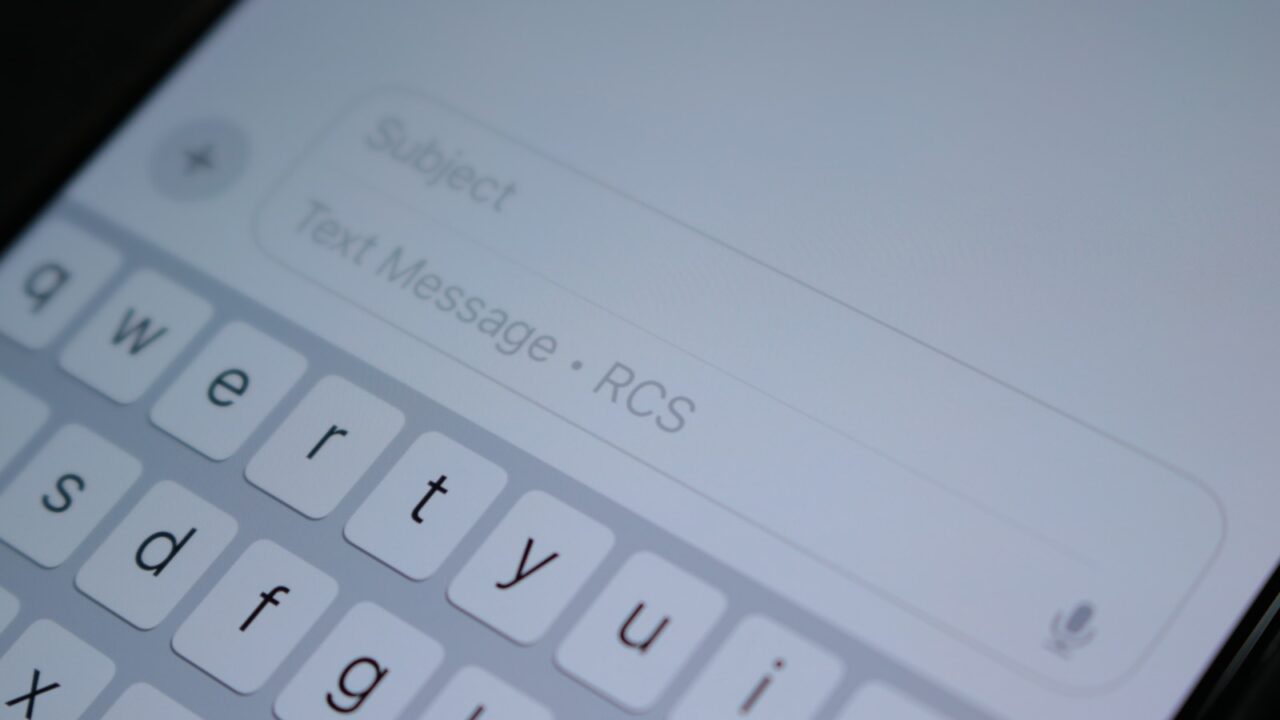
For years, the green bubble told you more than the phone brand. It usually meant lower quality photos, unreliable group chats and fewer clues about whether a message had actually arrived. RCS messaging is changing that, but it is not the same as saying every green bubble is now private, modern or problem free.
The Short Version
Key Takeaways
- RCS is the newer texting standard designed to improve ordinary phone number messaging.
- It can bring better photos, typing indicators, delivery receipts and more capable group chats to iPhone and Android conversations.
- Green bubbles are not disappearing. They can now mean RCS as well as SMS or MMS.
- Encryption depends on device, carrier and app support, so you still need to check the conversation indicator.
What RCS Actually Is
RCS stands for Rich Communication Services. In plain English, it modernises the basic text message without asking everyone to install the same private messaging app.
Old SMS was built for short text. MMS added picture and video support, but it often compresses media heavily and behaves badly in mixed groups. RCS uses mobile data or WiFi, depending on the device and carrier setup, so it can carry richer messaging features through the phone number based Messages app.
The standard sits with the GSMA, the mobile industry body behind many network standards. That matters because the goal is not another closed chat app. It is a common layer that different phone makers and mobile networks can support, so a normal phone number conversation can behave more like a modern messenger.
The important word is can. RCS is not a magic switch that makes every conversation identical. It needs support from the phone, the messaging app, the mobile carrier and the person at the other end.
Why The Green Bubble Is Changing
On an iPhone, blue bubbles still mean iMessage. That is Apple’s own system for conversations between Apple devices. Green bubbles are used for messages that are not iMessage, including SMS, MMS and now RCS.
Apple’s current support guidance says RCS messages can be sent to non Apple devices, and to some Apple devices using Text Message Forwarding. It also says RCS supports high resolution photos and videos, links, delivery receipts, read receipts and typing indicators. That is the practical change most people will notice first.
This is why the green bubble is finally becoming less of a downgrade. An iPhone user texting an Android user should no longer automatically mean fuzzy images, broken group behaviour and no delivery clues, provided both sides and their carriers support RCS.
It does not make green bubbles blue. It does not move Android users into iMessage. It simply gives non iMessage conversations a better technical route than SMS or MMS when RCS is available.
What Gets Better When RCS Works
The visible improvements are simple. Photos and videos should arrive in higher quality. Delivery and read receipts can show whether a message has arrived or been seen. Typing indicators can show when someone is replying. Group chats can be easier than old MMS groups.
Google’s RCS help pages describe the same basic features on Android: messages over mobile data or WiFi, read receipts, typing indicators, file sharing and high resolution photos. Google also notes that RCS chats are only turned on when the participants in a conversation have RCS available.
For everyday users, the benefit is not that texting suddenly becomes exciting. It is that ordinary phone number messaging becomes less irritating. Sending a family photo, organising a group plan or confirming that someone received a time sensitive message should feel more dependable.
There is also a practical benefit for people who do not want their social life split across several apps. RCS does not replace WhatsApp, Signal, Telegram or iMessage. It improves the default fallback nearly everyone with a phone number can understand.
The Encryption Detail To Understand
This is the part to be careful with. iMessage conversations are encrypted end to end between Apple devices. SMS and MMS are not. RCS sits in the middle because encryption support depends on the exact setup.
Google says Google Messages supports end to end encryption when eligible users message through Google Messages over RCS, and that SMS and MMS are not end to end encrypted. Apple says that from iOS 26.5, end to end encrypted RCS messaging in Messages is available as a beta with supported carriers and will roll out over time.
The cautious takeaway is this: do not assume a conversation is private just because it says RCS. Apple says encrypted RCS conversations show an encrypted label and a lock icon. Google says eligible encrypted Google Messages conversations show lock indicators too. If you do not see the indicator, treat the conversation as less protected.
Check The Indicator
- RCS can improve ordinary texting without making every chat encrypted.
- Encryption can depend on each person’s device, carrier, app and settings.
- For sensitive information, look for the lock or encrypted label before assuming protection.
Why It Still Falls Back To Old Texting
RCS still depends on the mobile plumbing underneath. If the device does not support it, the carrier has not enabled it, the messaging app is not set up correctly or data is unavailable, the message may go by SMS or MMS instead.
That fallback is useful because it means the message can still get through. It is also the reason the experience can feel inconsistent. One Android friend might get high quality photos and typing indicators. Another might still get a compressed MMS. A group chat may lose features if one participant cannot use RCS.
This is similar to other areas of consumer technology where the headline feature depends on several quiet layers working together. If you read our guide to public WiFi security rules, the same lesson applies: the label on the connection is useful, but the details decide the risk.
A Worked Example
Imagine Sarah has an iPhone and Dan has an Android phone. Before RCS, Sarah sends Dan a short video from a birthday party. It may arrive as a small, grainy MMS. Sarah may not know whether Dan has received it. If they add two more people to the conversation, the group chat can feel clumsy and unpredictable.
With RCS available on both sides, Sarah sends the same video through Messages and Dan receives a higher quality version. Sarah can see delivery information. Dan can see when Sarah is typing. If the group is fully supported, the conversation behaves more like a modern chat thread than a pile of old texts.
Now add one complication. Dan’s carrier supports ordinary RCS but not encrypted RCS, or one person in the group has an older setup. The chat may still be better than MMS, but it may not show the encrypted indicator. That is the difference between a better texting experience and a fully protected conversation.
What This Means For You
If you use an iPhone, the practical move is to keep iOS updated and check whether your carrier supports RCS. Apple says iOS 18 is needed for RCS messaging, while end to end encrypted RCS needs iOS 26.5 and carrier support.
If you use Android, make sure Google Messages or your chosen messaging app has RCS connected. Google Messages shows an RCS status in settings, and its help pages explain that messages can fall back to SMS or MMS when RCS is not available.
For mixed iPhone and Android groups, expect the experience to improve gradually rather than perfectly overnight. Better media and receipts are useful. Encryption indicators are the thing to check before sharing anything sensitive. For a wider privacy check on your phone habits, our guide to the hidden cost of free apps is a useful next read.
In Plain English
RCS is better texting. It makes some green bubble conversations feel more like modern messaging, especially between iPhones and Android phones.
It does not make every green bubble private. Look for the encrypted label or lock icon if privacy matters.
Better texting is welcome. It is still worth checking what kind of message you are actually sending.